


Product Description
ReOrder – How To Make Trance (Video Course & Ableton Project)
15 € – 45 €
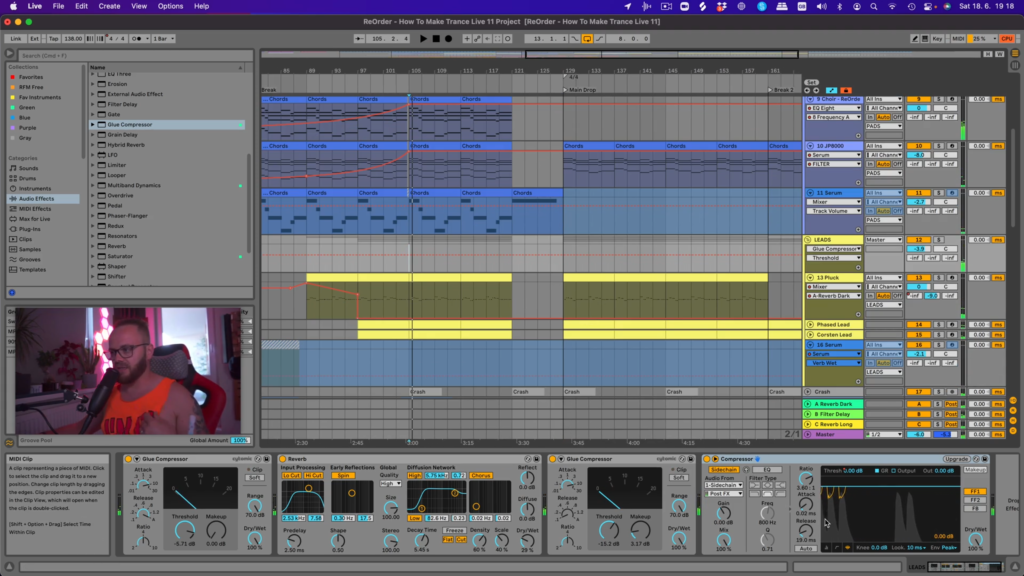
In collaboration with ReOrder, we are proud to present “ReOrder – How To Make Trance (Video Course & Ableton Project)”. In this 2,5 hours masterclass ReOrder shows you how to produce an industry-standard uplifting trance single in Ableton Live. You can look forward to seeing some of his top-secret tips and tricks on how to make music production easy and fun just as it should be.
Premium Quality Products
Made by professional artists and sound designers, with usability in mind.
100% Secure Checkout
We do not collect any credit card information. Payments are done with PayPal or Stripe.
Instant Downloads
You can download your purchased files immediately after the payment.
24/7 Support
You can order from Myloops with complete peace of mind. We promise to provide any support needed within 24 hours.
Frequently bought together
Customers who bought this item also bought

Product Description
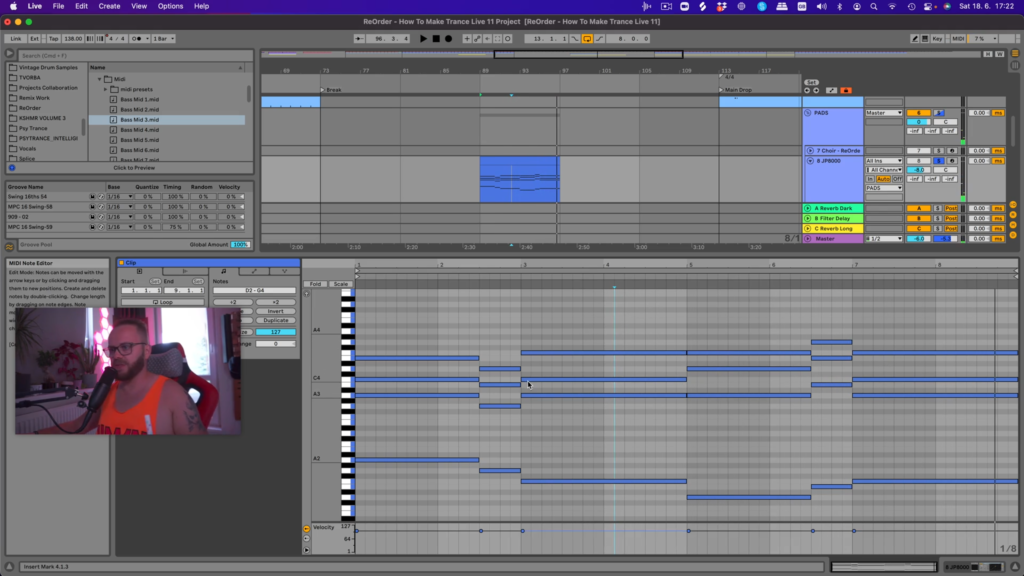
In collaboration with ReOrder, we are proud to present “ReOrder – How To Make Trance (Video Course & Ableton Project)”. In this 2.5+ hours masterclass ReOrder shows you how to produce an industry-standard uplifting trance single in Ableton Live. You can look forward to seeing some of his top-secret tips and tricks on how to make music production easy and fun just as it should be.
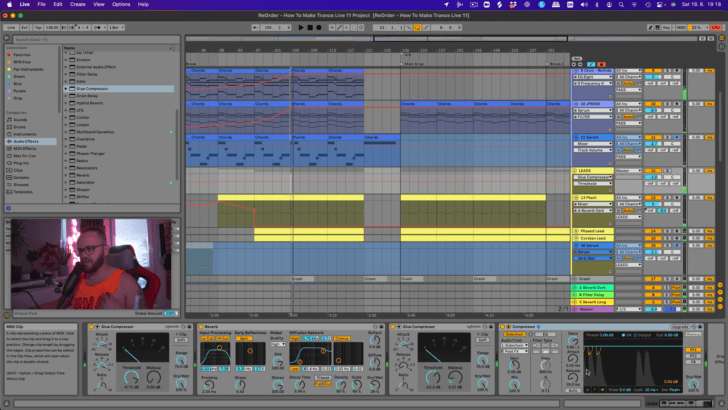
As part of the masterclass, we also present you the full Live 11 Suite Template Project of the track Reorder created, also available for download (see purchasing options).
Who is this tutorial for?
This tutorial is for artists who want to work faster and improve their sound at the same time. It’s intended for artists who are curious about the steps required for making a full uplifting trance production. it’s also suited for anyone looking for inspiration for their own trance music. It’s aimed at Ableton Live users, but the tricks you will learn can also be applied in other DAWs.
Features
- Full studio session on how to create a complete trance production from scratch
- 2.5+ hour long video from start to finish
- Choose between 3 versions of the pack: Full Pack, Ableton Project Only, or Video Course Only
- Includes tips on arrangement, mixing, choice of sounds, composition and a lot more !
- Includes samples and presets from other products by ReOrder
- 100% royalty free, so you can use elements from the project in your productions
- Video quality 1080p H.264, spoken in english
Course Chapters
- CHAPTER 1: Start your track with Intention
- CHAPTER 2: Walkthrough the Live Project
- CHAPTER 3: Preparing the tracks structure
- CHAPTER 4: Completing basic structure
- CHAPTER 5: Creating chords accordingly
- CHAPTER 6: Starting with Kick & Sub Bass
- CHAPTER 7: Finalising the baselines
- CHAPTER 8: Let’s add simple percussion
- CHAPTER 9: Adding extra Loops and FX
- CHAPTER 10: Importing build up elements
- CHAPTER 11: Connecting build with break
- CHAPTER 12: Make your intro stand out
- CHAPTER 13: Finishing the build up
- CHAPTER 14: Building the breakdown
- CHAPTER 15: Filling the blanks
- CHAPTER 16: Mixing the main leads
- CHAPTER 17: Transitioning to main drop
- CHAPTER 18: Adding more energy to the drop
- CHAPTER 19: Let’s do the Mixout
- Bonus 16 minute Q&A with ReOrder at the end of the course (16 minutes long, also available on YouTube)
What You Will Learn
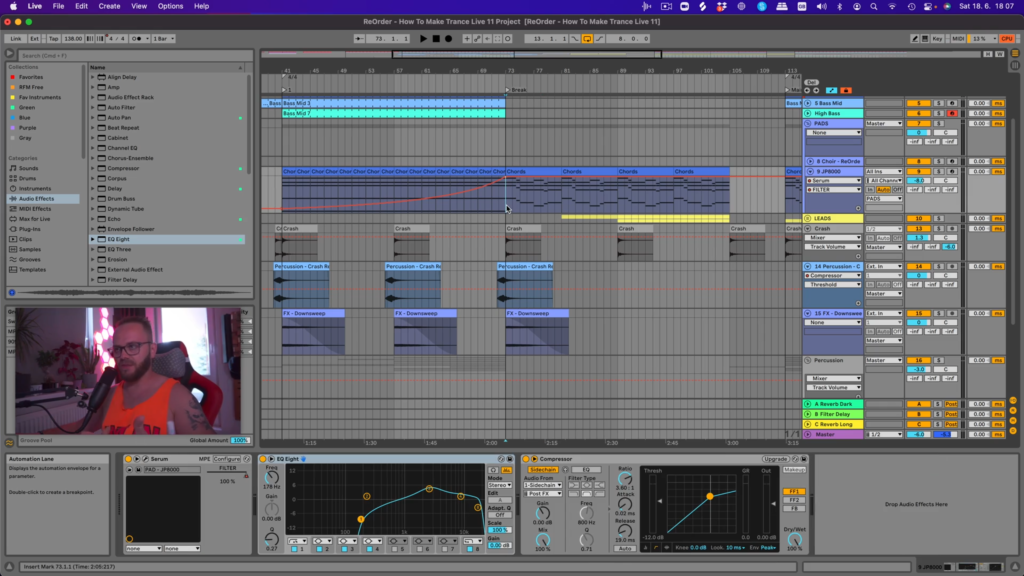
In this 141 minute long video (2 hours and 21 minutes), Tibor will show you :
- Make track structure fast and easy
- Finishing your tracks now and avoid being stuck with loops
- Mix your kick with bass
- Make groovy build-up
- Connect your build-up with the breakdown
- Make your drop punchy and stand out
- And a lot more !
You can watch this video and prepare your own trance bass section based on ReOrder’s suggestions in Ableton Live.
3 Versions of the pack available
- Full Pack: contains the Video Course + the Ableton Suite Project + Bonuses
- Video Course Only: contains the Video Course
- Ableton Project Only: contains the Ableton Suite Project + Bonuses
Ableton Project & bonus details
- Industry-standard Ableton SUITE 11 template Project
- The project sounds like in the audio demo (Ableton Suite & Serum required).
- The track produced uses only Serum, no other synths and no 3rd party FX
- In order to open the project file, you need: Ableton Live SUITE 11.1.6 & Xfer Serum.
- The track is unfinished on purpose, so that you can add your own “touch” and ideas.
- 16 extra Midi files + midi inside project
- 6 percussion midi files
- 11 high-quality Serum Presets
- Custom made Samples
I’m using another DAW, not Ableton Live. Can I still benefit from buying this tutorial ?
Yes, you can still learn the concepts and techniques that ReOrder uses in his productions, and apply them in your own DAW.
About ReOrder
Tibor Tomecko (ReOrder) is known for his beautiful uplifting and progressive trance releases on Subculture, Silent Shore Records, Monster Tunes, FSOE, Amsterdam Trance and his tracks being played by the top trance DJs in the world.


Additional information
| Style | Uplifting Trance, Progressive Trance, Trance 2.0, Electro Trance |
|---|---|
| 100% Royalty-Free | Yes |
| Compatibility | Ableton Live |
| Download Includes | MIDI Files, Presets, Project Files, Samples, Video Tutorials |
| Option | Full Pack, Project Only, Video Course Only |
9 reviews for ReOrder – How To Make Trance (Video Course & Ableton Project)
Can I use these sounds for commercial projects?
How do I download my files after purchase?
What happens if I have a problem with my order?
Product brand
Got A Question ?
Do you have a question about this product ? You can drop us an E-mail anytime.
More Products From ReOrder
Customers who viewed this item also viewed

petejash (verified owner) –
Tibor a.k.a ReOrder always creates really original ideas and inspiring work paths. When you work with him or work with his files , you can feel that everything becomes easier and much more professional. I think he has hacked the way of producing great music easily… Thanks man…
Ad (verified owner) –
Thanks for building this elaborate example.
A template of a modern modern Trance track, which shows very well various methods and used elements.
It is a great help.
Cheers!
fnors13 (verified owner) –
At first I was a little disappointed but it was a misconception of mine. I thought I would find more about creating a theme from scratch.
Even so, I liked it because it focuses on what is really a problem for me, creating a complete theme from an already created idea of a few bars.
I recommend watching some of their videos on YouTube first to get an idea of what we are going to find.
As for the price, it seems high. I understand that you have to pay for the work of others but on YouTube there is free material of the same educational value or more. I will not name names out of respect for Tibor.
SyRKaT (verified owner) –
Awesome Producer, Awesome Teacher, & Awesome Tutorial & Template! Cannot recommend enough. ReOrder knows his stuff inside and out and has created yet another great product! A+
derailfab (verified owner) –
A solid production walkthrough, with ReOrder doing a good job of talking throughout the process, explaining what he’s doing. It would be good to have the video split into discrete sections – sometimes I’m working on leads, and I like to refer to videos from several producers and jump straight to the section on how they layer/ process their lead sounds.
If you like ReOrder’s sound, you’ll get a lot out of watching his process!
ela (verified owner) –
I’m enjoy watching this..
I watched it many times and it was easy to understand, especially for beginners like me..
He teaches us what we really need..
And the price for this pack – deserve to pay..
Frank Berghäuser (verified owner) –
Everybody who want to learn something about making a trance project, you’re welcome with this great video. absolut great!!!
ptarnowski1 (verified owner) –
A very good course. If you are a beginner producer and want to learn what Trance music looks like from scratch, then this course is made for you.
Kerem Sertbel (verified owner) –
This is an amazing course. Reorder is a producer and musician that I follow also. He has really good teaching skills. With this price, I totally recommend.