
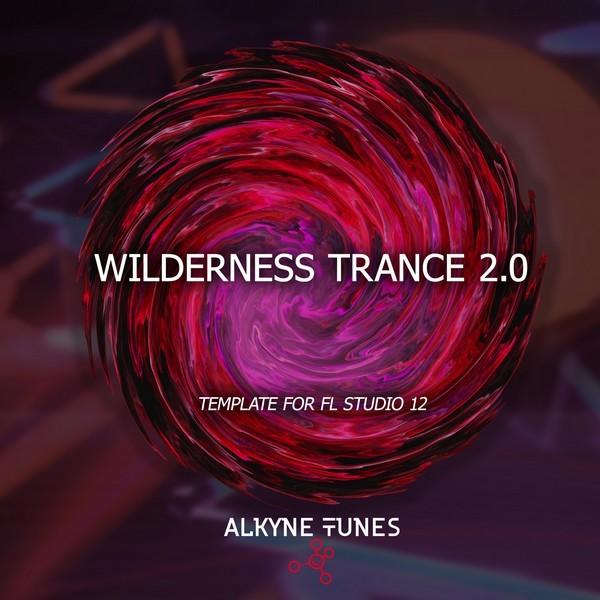
Product Description
Wilderness Trance 2.0 Template (For FL Studio 12)
30.90 € 23.18 €
• Download the project file in FL Studio
• 347MB in total (Unzipped)
• FL Studio Project
• 64 Files in total
• 38 Sample of project
• 38 Sample of project
• 3 Massive Presets
• 11 Spire Presets
• 8 Sylenth1 Presets
Premium Quality Products
Made by professional artists and sound designers, with usability in mind.
100% Secure Checkout
We do not collect any credit card information. Payments are done with PayPal or Stripe.
Instant Downloads
You can download your purchased files immediately after the payment.
24/7 Support
You can order from Myloops with complete peace of mind. We promise to provide any support needed within 24 hours.
Frequently bought together
Customers who bought this item also bought

Product Description
Wilderness Trance 2.0 Template (For FL Studio 12)
If you are producing progressive / trance 2.0 style music in FL Studio, this progressive trance template By Alkyne Tunes is for you. Wilderness Trance 2.0 Template (For FL Studio 12) was produced by great sound designer Wilderness (one artist of Armada Music) and contains a full length Progressive Trance / Trance 2.0 track. This product includes high-quality full Progressive Trance track with all presets.
Using all tricks Inspired by artists as Fatum, ilan Bluestone, Andrew Bayer and other kings of modern trance sounds you can produce next hit! If you fan of fat basslines and lush chords – all this is for you!
The FL Studio Template comes loaded up with the arrangement (as heard in the audio demo), mixing, FX chains, MIDI data and automation. It all comes loaded with all the samples and synth presets so you will get what you hear in the demo if you have Sylenth1. It is 100% royalty free and can be used as a base for your upcoming tracks or as an educational and inspirational tool.
What do I get ?
• Download the project file in FL Studio
• 347MB in total (Unzipped)
• FL Studio Project
• 64 Files in total
• 38 Sample of project
• 38 Sample of project
• 3 Massive Presets
• 11 Spire Presets
• 8 Sylenth1 Presets
FEATURES
- All sections (basslines, leads, FX, drums) are color-coded and named correctly so you know exactly what you are looking at.
- 100% Royalty Free : you can use any element from this template in your own productions
- Sounds exactly like the audio demo if you have the plugins listed below
- Markers for each section of the track help to see the type of arrangement in Trance 2.0
WHAT CAN I LEARN FROM THIS PRODUCT ?
- Study how the arrangement was put together
- Find out which techniques were used to build tension within the track
- Learn from studying each individual track (MIDI / Audio)
- Find out how the mixing was done, and how each track was processed
- Learn how the melodies & bassline patterns were designed
- Learn from the synth presets included, which settings were used to make each type of sound
- Get inspired for your own productions
- Overall, an excellent way of learning more about producing Trance 2.0 Music in FL Studio
What do I need to open this template ?
In order take full advantage of this project, you will need :
• FL Studio v12.5.1 or higher
• Sylenth1 2.2.1.2 x32
• Reveal Sound Spire 1.1.13 x64
• NI Massive 1.5.0 x64
• Omnisphere v2.4 x64 (Freeze Stems incl)
• FabFilter Pro-L v. 1.23 x64
• FabFilter Saturn v. 1.17 x64
• FabFilter Pro-Q 2 v. 2.07 x64
• FabFilter Pro-MB v. 1.15 x64
• Nicky Romero Kickstart – 1.0.9 x64
• Xfer SerumFX 1.205 x64
• CamelCrusher v. 1.0.1.547 x64
• Autopanner – SynthEdit x64
• Kjaerhus Audio Golden Peak – Pressor x32
• Xfer OTT 1.2 x64
More details :
- Type : FL Studio Trance 2.0 Template (.flp)
- Support : Download
Additional information
| Style | Progressive Trance, Trance 2.0 |
|---|---|
| 100% Royalty-Free | Yes |
| Compatibility | FL Studio (Fruity Loops) |
| Download Includes | MIDI Files, Presets, Project Files, Samples |
Can I use these sounds for commercial projects?
How do I download my files after purchase?
What happens if I have a problem with my order?

Product brand

Got A Question ?
Do you have a question about this product ? You can drop us an E-mail anytime.


Reviews
There are no reviews yet.