
Product Description
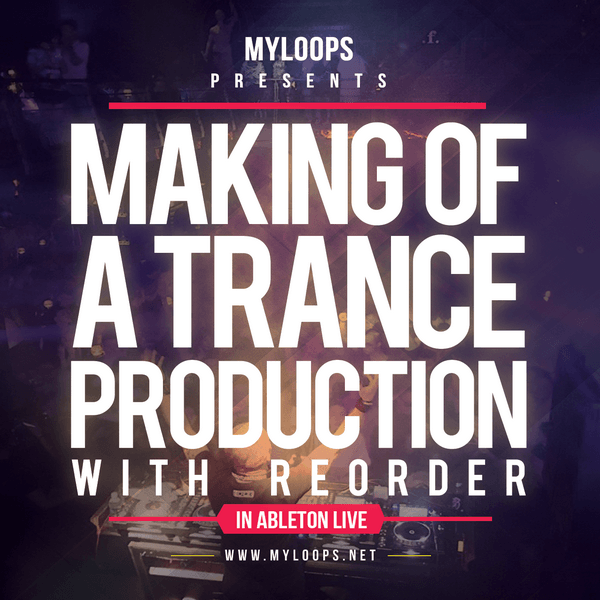
Making Of A Trance Production With ReOrder (Video + Ableton Live Project)
85.28 € 63.96 €
- Full studio session on how to create a complete trance production from scratch
- The track produced uses only Sylenth1 and Spire, no other synths and no 3rd party FX
- 3+ hour long video from start to finish
- Ableton Live Project included (it is also possible to buy the project alone or the video tutorial alone)
- Includes tips on arrangement, mixing, choice of sounds, composition and a lot more !
- Includes samples and presets from Myloops products, for example ReOrder’s libraries (ReOrder Producer Sample Pack and ReOrder Trance Spire Soundset)
- Uses Ableton Piano Pack (FREE pack available on the Ableton website)
- 100% royalty free, so you can use elements from the project in your productions
Premium Quality Products
Made by professional artists and sound designers, with usability in mind.
100% Secure Checkout
We do not collect any credit card information. Payments are done with PayPal or Stripe.
Instant Downloads
You can download your purchased files immediately after the payment.
24/7 Support
You can order from Myloops with complete peace of mind. We promise to provide any support needed within 24 hours.
Frequently bought together
Customers who bought this item also bought

Product Description
Making Of A Trance Production With ReOrder (Video + Ableton Live Project)
Over the years, we’ve had countless requests for something like this : a full trance production tutorial in Ableton Live, that covers creating an actual track from start to finish, along with showing all the tricks and tips resuling in a great sound.
Who better to do this than ReOrder, who’s been active in the scene for several years, had his tracks played by most of the top DJs out there and appeared on many top labels (FSOE, Garuda, Silent Shore, Who’s Afraid Of 138?, Armind, and many more ? Tibor Tomecko (ReOrder) is undoubtedly an expert at producing uplifting trance records and was the perfect person for this project.
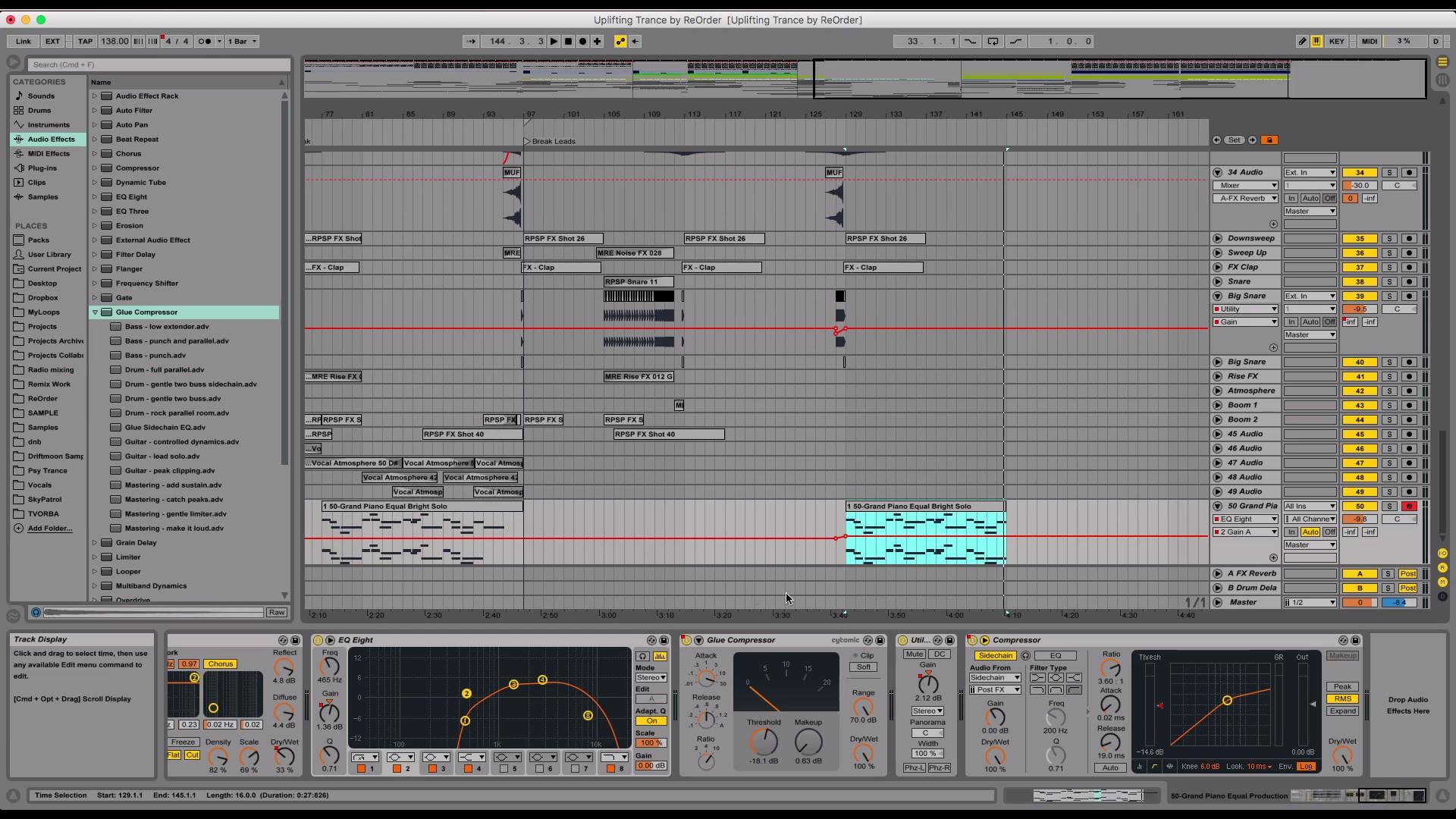
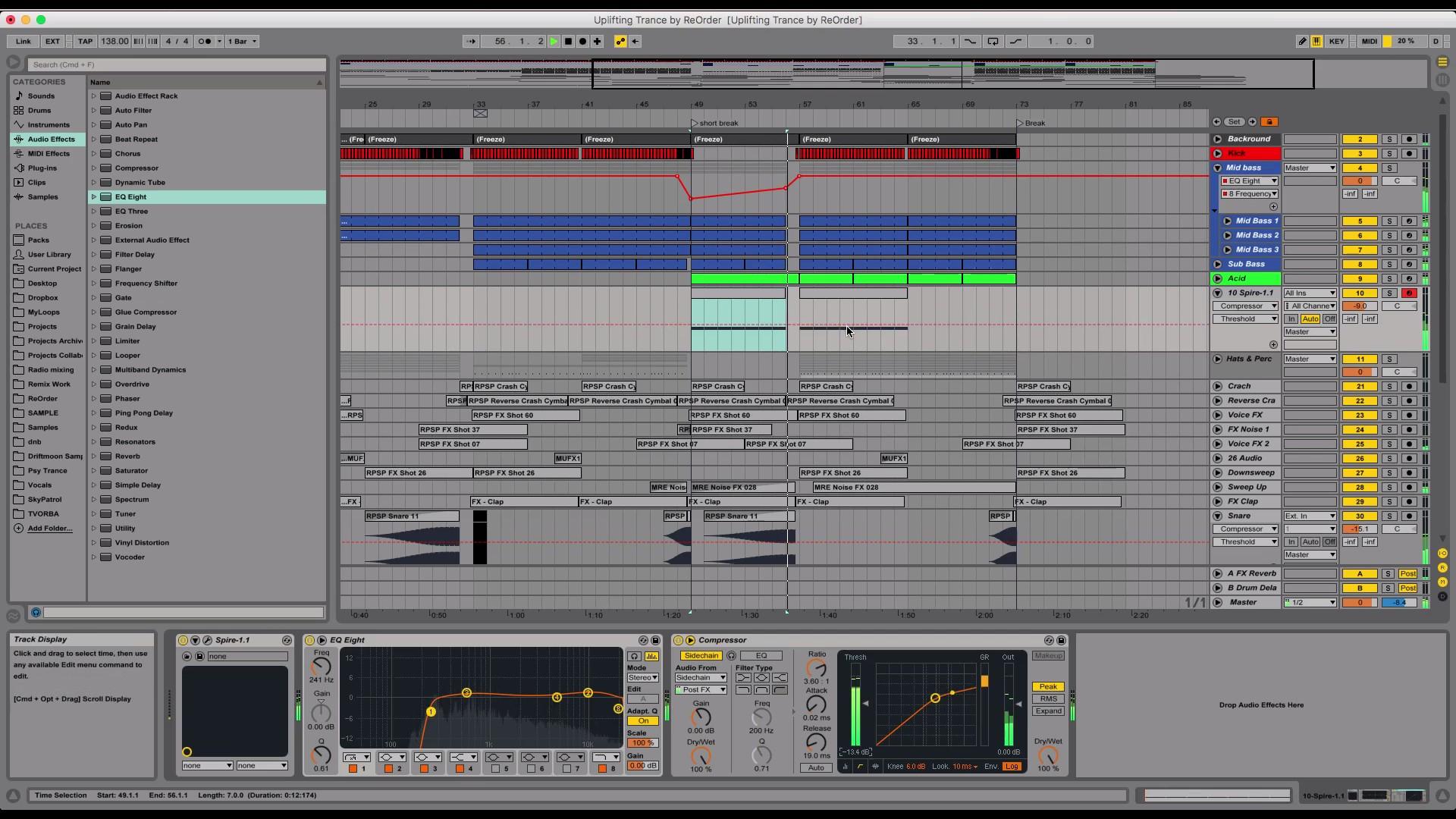
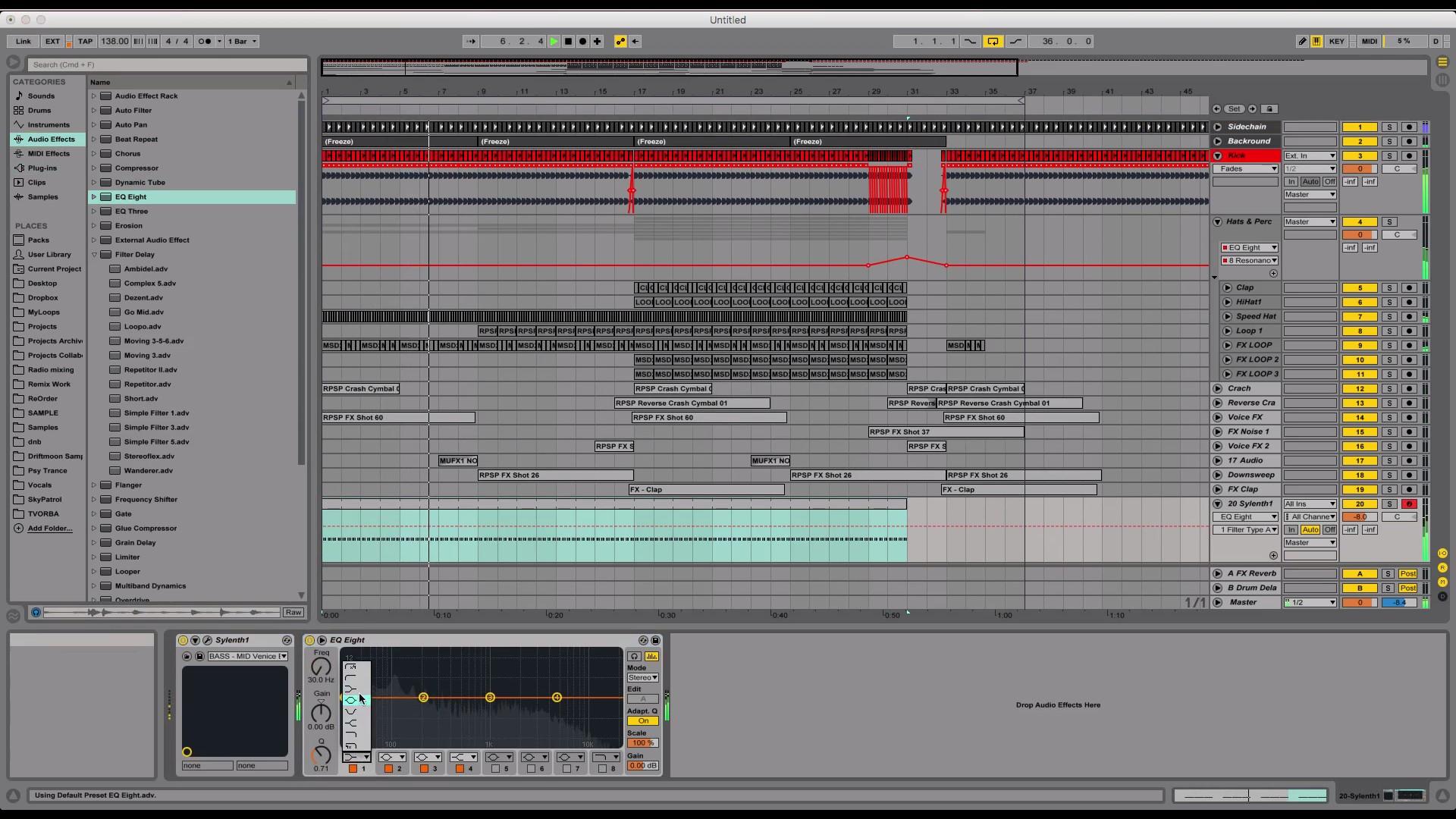
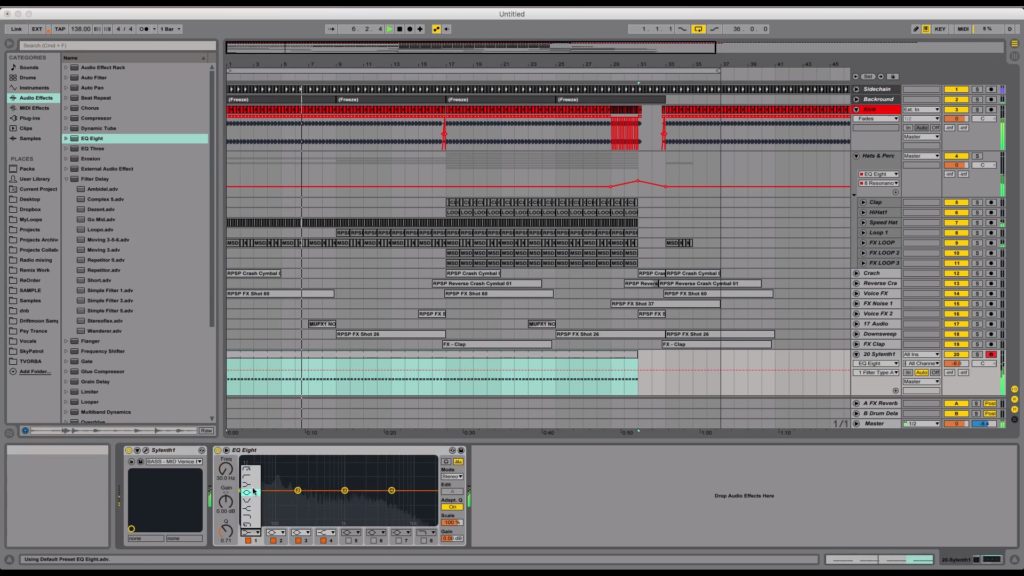
Tibor created a complete 3+ hour long course for Myloops where he shows you exactly how he went from a blank project file in Ableton to this complete uplifting trance track. Tibor used only Myloops samples for this project, plus 2 synths : Spire and Sylenth1, and no 3rd party FX. The package includes samples and presets from various Myloops products : ReOrder Producer Sample Pack, ReOrder Spire Trance Soundset, Reloaded, Ultimate FX Volume 1, Solid Drums Volume 2 and more.
3 versions available : Video + Ableton Project, Video Only and Ableton Project Only.
This version includes both the Video tutorial AND the Ableton Live Project.
Who is this tutorial for ?
This tutorial is for artists who want to work faster and improve their sound at the same time. It’s intended for artists who are curious about the steps required for making a full uplifting trance production. it’s also suited for anyone looking for inspiration for their own trance music. It’s aimed at Ableton Live users, but the tricks you will learn can also be applied in other DAWs.
Features
- Full studio session on how to create a complete trance production from scratch
- The track produced uses only Sylenth1 and Spire, no other synths and no 3rd party FX
- 3+ hour long video from start to finish
- Ableton Live Project included (it is also possible to buy the project alone or the video tutorial alone)
- Includes tips on arrangement, mixing, choice of sounds, composition and a lot more !
- Includes samples and presets from Myloops products, for example ReOrder’s libraries (ReOrder Producer Sample Pack and ReOrder Trance Spire Soundset)
- Uses Ableton Piano Pack (FREE pack available on the Ableton website)
- 100% royalty free, so you can use elements from the project in your productions
What You Will Learn
In this 197 minute long video (3 hours and 17 minutes), Tibor will show you :
- How to start your track with the kick / drums
- Making drums sound powerful and interesting
- Adding elements one by one and keeping and making them fit together
- Building tension with white noise, FX and atmospheres
- Using automation to mark transitions in your track
- Renaming and coloring tracks to keep your project clean
- Creating white noise effects with Sylenth1
- Creating memorable transitions with samples, reverb, filter automations etc.
- Low-passing elements to avoid frequency conflicts
- Side-chain techniques to increase energy and clear up the mix
- Creating rolling uplifting bass layers (mid bass, hi bass, sub bass, etc.)
- Compressing your sub bass to make it fit perfectly between kicks
- Making melodic elements of your tracks fit together
- Kick roll, drum roll techniques to increase tension
- Using atmospheres to add background presence in your track
- Managing energy between the different parts of the arrangement
- Creating melodic parts for your track and making them fit together
- Layering, grouping & compressing leads to get a huge lead sound
- Mixing all the elements together to get a clean sound
- Composing a main lead riff based on a chord sequence
- Reverb, EQ, delay, compression, side-chain tips for a clean big sound
- And a lot more !

You can watch this video and prepare your own track based on ReOrder’s suggestions in Ableton Live.
Package Contents
- The video tutorial (197 minutes long , 1080p quality, in english)
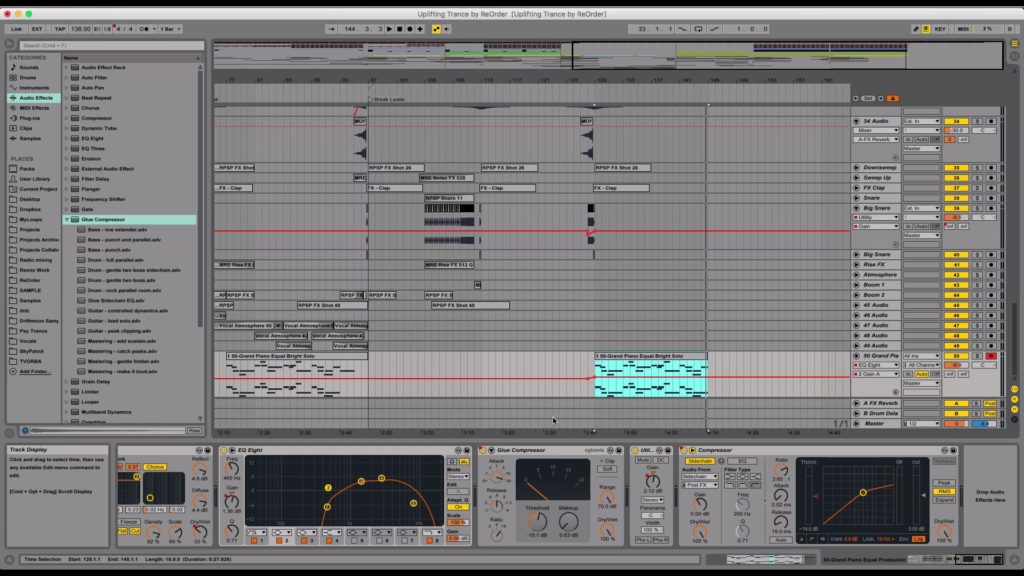
- The Full Ableton Live Project (synth presets, arrangement, mixing, samples included inside the project)
 I’m using another DAW, not Ableton Live. Can I still benefit from buying this tutorial ?
 I’m using another DAW, not Ableton Live. Can I still benefit from buying this tutorial ?
Yes, you can still learn the concepts and techniques that ReOrder uses in his productions, and apply them in your own DAW.
About ReOrder
Tibor Tomecko (ReOrder) is known for his beautiful uplifting and progressive trance releases on Subculture, Silent Shore Records, Monster Tunes, FSOE, Amsterdam Trance and his tracks being played by the top trance DJs in the world.


OTHER PRODUCTS FROM REORDER
Additional information
| Style | Uplifting Trance, Progressive Trance, Trance 2.0, Electro Trance |
|---|---|
| 100% Royalty-Free | Yes |
| Compatibility | Ableton Live |
| Download Includes | MIDI Files, Presets, Project Files, Samples, Video Tutorials |
| Availability | Exclusive |
17 reviews for Making Of A Trance Production With ReOrder (Video + Ableton Live Project)
Can I use these sounds for commercial projects?
How do I download my files after purchase?
What happens if I have a problem with my order?

Product brand
Got A Question ?
Do you have a question about this product ? You can drop us an E-mail anytime.
Our offers




Marcin (verified owner) –
I bought this template because I’n big fan of ReOrder sounds .In this video you can see how a professional trance project looks, how he makes his melodies and how he uses FX, VSTs etc… I’m looking foward to next reeleases on Myloops. Good Work ReOrder!
Steven (verified owner) –
I must say it is quite a good experience although have not watched the whole video yet. The only thing I can say is that not every single thing is included in the project file, this would need a little work, other than that I think personally it looks good very professional very well arranged as specially in the template, I look forward to learning allot from this video as trance is my deepest passion of all. Really love the way he explains low bass, mid bass, high bass, like the samples, the way he put them together to make it sound really sweet. I like ReOrder to make trance videos for absolute beginners as well, this would make it easier for beginners to understand the true basics into making trance. Well done ReOrder Keep up the good work.
Chris (verified owner) –
Fabulous tutorial from Mr Trance “ReOrder”
This is a must for any trance producer which will help you an all areas of production.
Well structured, easy to follow & is a great help of inspiration when the writer’s block kicks 🙂
Brilliant all round from Myloops & ReOrder.
Andy (verified owner) –
One of the best (trance) tutorials you can find.
Nice tips and tricks, great presets for sylenth and spire, nice and clean template.
Video tutorial is: easy to follow, good structured and perfect video quality.
A must have for any trance producer out there.
Great work from Reorder and Myloops.
Greetings Andy
lw2267038483 (verified owner) –
Who better to do this than ReOrder, who’s been active in the scene for several years, had his tracks played by most of the top DJs out there and appeared on many top labels (FSOE, Garuda, Silent Shore, Who’s Afraid Of 138?, Armind, and many more ? Tibor Tomecko (ReOrder) is undoubtedly an expert at producing uplifting trance records and was the perfect person for this project.
So Great!!!
kitekrazy (verified owner) –
It was nice that this template requires so little 3rd party products. Too often they will have expensive plugins that are effects. I wish the video had markers and separated into chapters. He moves quite fast in the video. I would like to see more of these in detail for bass lines, ect. This was on my wishlist for some time and waited for a sale to get it.
Dimitris (verified owner) –
Really good tutorial! I wouldn’t expect anything less. Reorder shows us how to make a track without worrying about technical stuff to much. I hope that he is gonna do it again in the future. The only thing i would like to mention is that it would be better not having a full 3 hours tutorial in one video, but into categories like Kick & Bass, Acids, Leads, FX, Arrangement etc.
Michael (verified owner) –
This is a fantastic buy! I have been watching the Adam Elliis Series and this Tutorial is equally as good. Reorders workflow is easy to follow and has some excellent techniques and processes. I have learnt a great deal from this tutorial, and highly recommend it.
kris (verified owner) –
Absolutely great and inspiring. Good for beginners and mid/hi advanced. Worth every penny. Clear explanation what, how and why. ReOrder is definitely an expert in uplifting trance production. It’s a privilege to learn from Tibor. Great workflow easy to follow. Thank You
todd –
This is by far MyLoops best trance tutorial. It’s not focused on expensive third party plugins and templates. Instead ReOrder gets an idea down fast and furiously. In addition to being a veteran trance producer the video itself is very well done…with the repetitive pieces sped up and no filler/rambling. quality.
zainsj (verified owner) –
The moment I saw this I knew it was going to be good because ReOrder is one of the most trusted names in the whole industry. I was not disappointed. I’m normally a techno producer but have recently been going back to my first love which was trance but definitely want to learnt he tips and tricks to get that modern sound. This video definitely helps with just that.
David E (verified owner) –
This is an okay tutorial, albeit pretty basic. It appears that the track was pre-made, then a video made to reconstruct it. It also seems like a lot was held back and the track that is produced is somewhat mediocre compared to the typical quality of ReOrder’s productions. It’s not very helpful when parts are skipped past, fast forwarded through, sounds are pre-selected to “save the viewer time” etc. These ways of shortening a video generally do the viewer no favors as that is these deep in the weeds details that help people learn how to think about selecting sounds. There is little to no trial and error shown here, things just appear to magically work perfectly the first time.
Don’t get me wrong there are great tips in this, but for someone BRAND new to producing this would not be the best one to start with. I would recommend it for those looking for some new ideas, or maybe (like me) looking to learn some details about Ableton Live. Otherwise for those looking for more depth, I would recommend Allan Morrow’s Trance series tutorials as they show him trying things, making mistakes, correcting them etc. as any producer will when making a track from scratch.
tomaffect (verified owner) –
Ow this one is amazing too!! We can be very quick in producing synth’s, Bass, loops whatever but fx samples and reverbs and be time consuming to this extended pack will help you out quickly, easy to build and to compress yourself to give more dimension. Very happy again! Thanks guys ?
NJassal (verified owner) –
This is a great template for beginners to know how professionals work, what’s their workflow is like. I’ve always loved ReOrder’s work and its very inspirational to see how he works. Great sounding track as well. Will definitely recommend this.
justin sands (verified owner) –
yes, this is primarily aimed at beginner producers, but for that purpose this is an absolutely fantastic full length tutorial. This is loaded with all sorts of great tips and tricks and is an excellent start to finish tutorial and template pack. I do recommend getting it with the video as well because their is a lot that you will miss if you do not watch the video as well.
Avaler (verified owner) –
I really happy to get it, I changed recently to Ableton, and for me is Really GOOD¡¡¡, love the uplifting ReOrder style, beautifull and accurate, it covers all the aspects to build a complete track, muchas gracias, well done.
Paul Brown (verified owner) –
Im a big fan of ReOrder, so when I saw this I knew it would be a great Purchase, Ive watched a few of his videos and this one is packed full of great tips for the beginner to intermediate producer. Its really worth getting both the template and the video, and Im sure I will watch it again and again.. until everything sinks in fully. I Ableton project is great and you can use the presets as a good starting point in your next track!, I’m very happy!