

Product Description
Adam Ellis Trance Production Tutorials #5 – FX
25.72 €
This is the fifth episode in a 12 part series of tutorial videos dedicated to Trance Music Production. This series will cover every aspect of music production (apart from Mastering) and will continually develop your skills when applied correctly. Episode 1 (Starting Template) is available here, Episode 2 (Structure) here,Episode 3 (Groove) here and Episode 4 (Atmosphere) here.
Premium Quality Products
Made by professional artists and sound designers, with usability in mind.
100% Secure Checkout
We do not collect any credit card information. Payments are done with PayPal or Stripe.
Instant Downloads
You can download your purchased files immediately after the payment.
24/7 Support
You can order from Myloops with complete peace of mind. We promise to provide any support needed within 24 hours.
Frequently bought together
Customers who bought this item also bought

Product Description
This is the fifth episode in a 12 part series of tutorial videos dedicated to Trance Music Production. This series will cover every aspect of music production (apart from Mastering) and will continually develop your skills when applied correctly. Episode 1 (Starting Template) is available here, Episode 2 (Structure) here, Episode 3 (Groove) here and Episode 4 (Atmosphere) here.
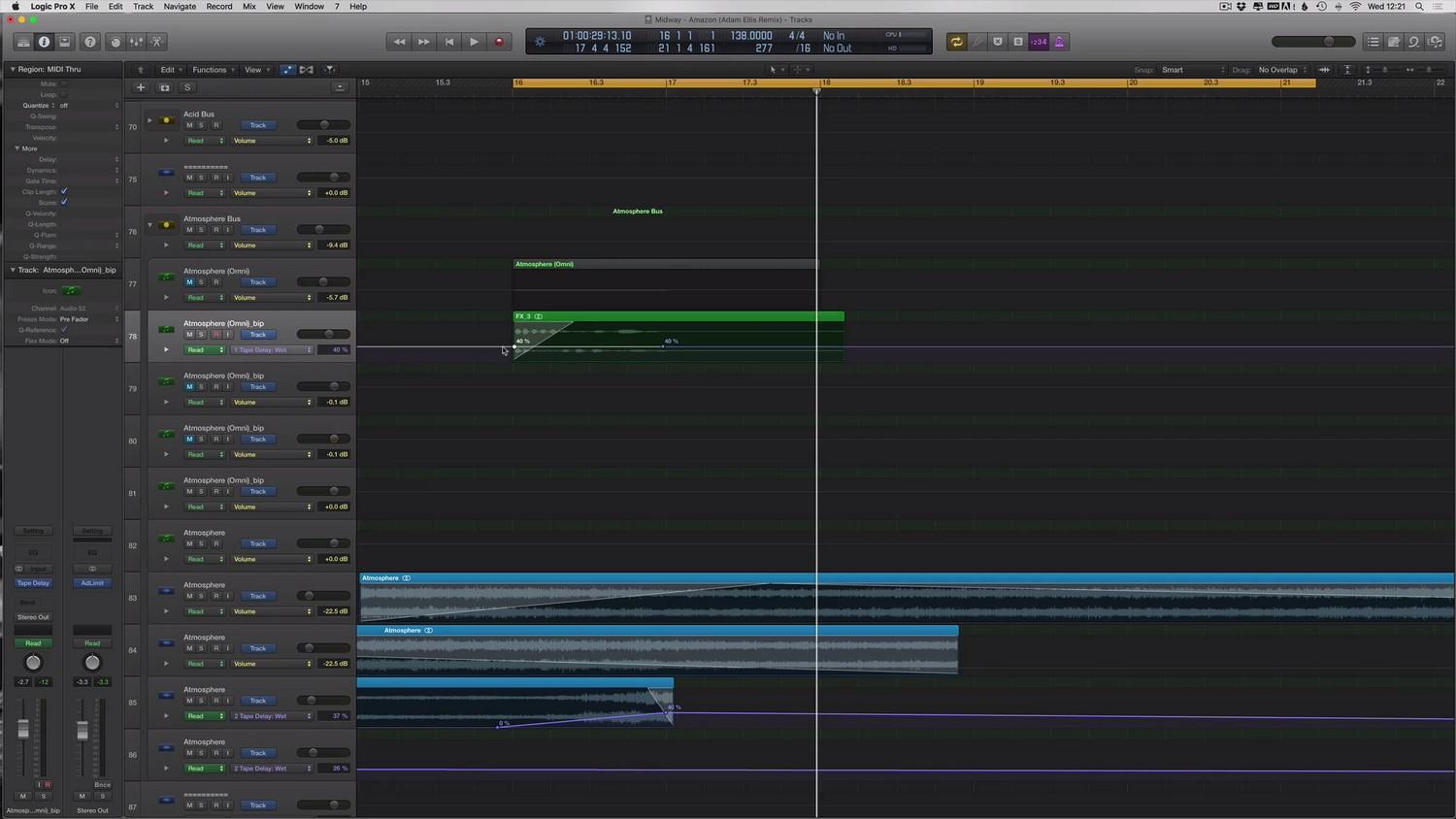
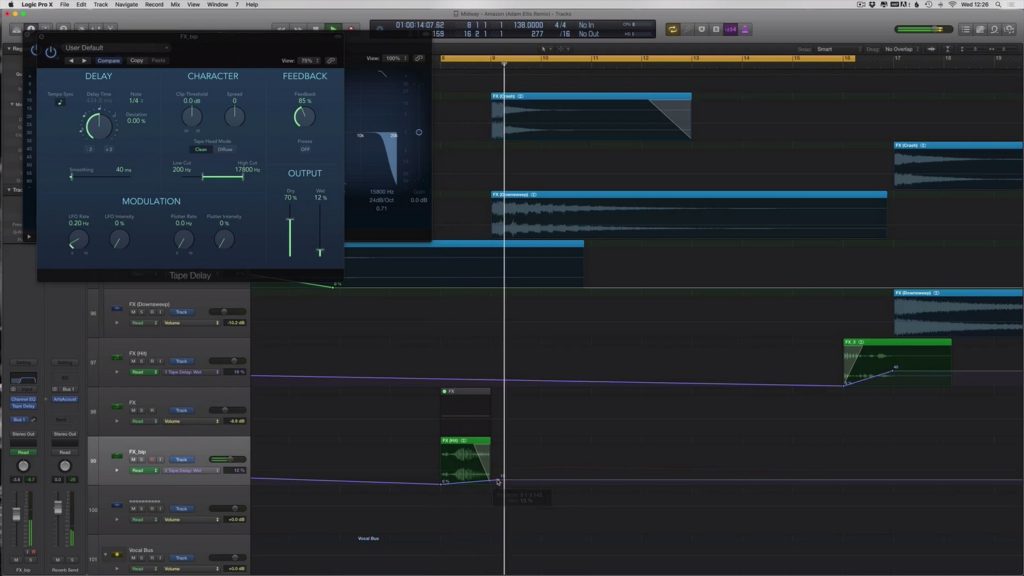
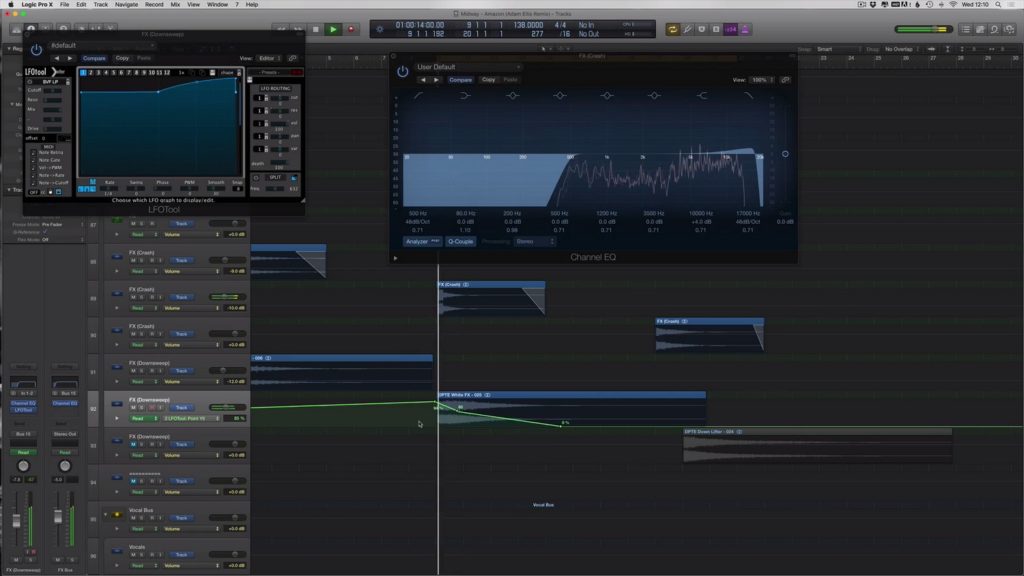
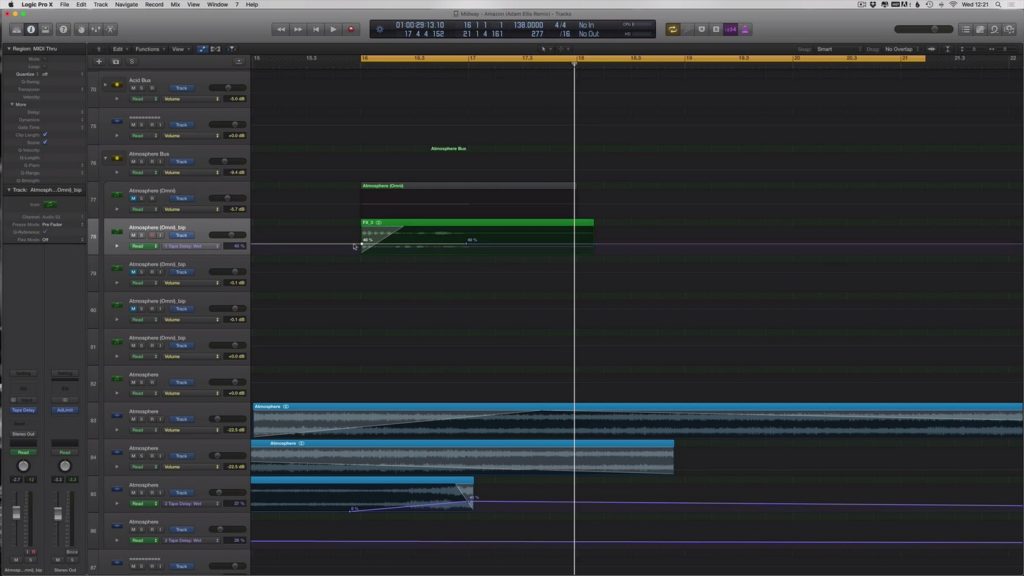
Episode 5 starts off where the previous episode ended. We have our basic “starting template” done, as well as an overall structure and arrangement sections in place, and we’ve created a groove with various percussive and drum elements as well as added a certain number of atmospheric sounds. We now want to add FX (crashes, downlifters, uplifters, etc.). FX will add tension to our track and increase the sense of energy. They will help also mark the transitions between various parts of the arrangement. which is a critical aspect of trance music production. What should we use, when should the FX play and how should they be placed in the mix ? How do we add tension around the buildup of your track ? In this episode, Adam Ellis starts with a basic existing buildup template (kick, bass, etc.) and goes on to develop a multi-layered FX section that makes the track instantly sound more professional and polished. You’ll also find out how the work done in Episodes 1, 2 (essentially preparing all the channels and busses) will prove extremely useful for building the actual FX layers.
Who is this tutorial for ?
This tutorial is for artists who want to work faster and improve their sound at the same time. It’s aimed at Logic Pro X users, but the tricks you will learn can also be applied in other DAWs.
What You Will Learn
In this 62 minute long video, Adam will show you :
- Learn how to increase the tension in your buildup and throughout your track
- Learn about the impact that correct FX use can do to your track
- How to fill up your arrangement with the right FX
- How to make your transitions sound smoother
- Studying the types of FX : crashes, downsweeps, reverse cymbals, uplifters, etc.
- How to combine different FX sounds to increase fullness
- Finding the right volume settings for your FX
- How to organize your FX channels for better workflow
- Varying FX sounds and combinations throughout the arrangement
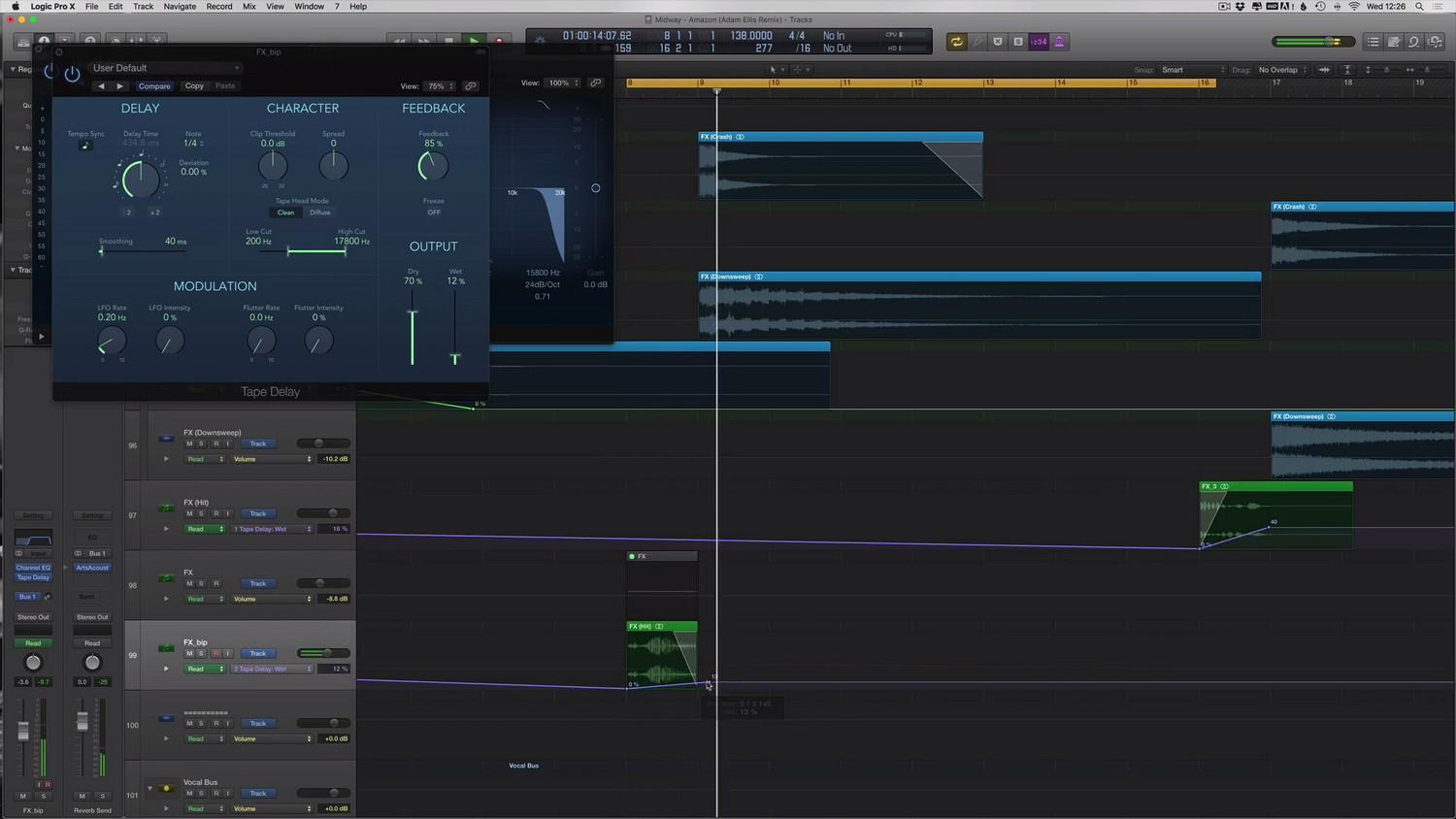
- Processing the FX (delay, reverb, EQ, …) to make them fit in the mixdown
- Using delay and EQ automation on your FX during transitions
- Adding sidechain to the FX to create the “driving” effect
You can watch this video and prepare your own trance FX section based on Adam’s suggestions in Logic Pro X.
Package Contents
- The video tutorial (62 minutes long , 1080p quality, in english)
- The Logic Pro X session created by Adam Ellis in his tutorial.
- DISCLAIMER : Please note that some of the audio samples used in the tutorial are copyrighted to 3rd parties and are not included with the project file.
I’m using another DAW, not Logic Pro X. Can I still benefit from buying this tutorial ?
Yes, you can still learn the concepts and techniques that Adam uses in his productions, and apply them in your own DAW.
About Adam Ellis
Powerful, euphoric melodies and relentless energy are only some of the illuminative qualities that Adam Ellis contains within his own special blend of euphoric Trance, and his rising reputation has become synonymous with the elite, international Trance fraternity within the last two years. Born and bred in Sheffield, England, (where the first, legendary Superclub, Gatecrasher One, was born), his humble upbringing has culminated into the quintessential underdog story where hard work and driven ambitions has ultimately brought about huge successes within his short career.
Harboring a fierce passion for music, Adam dedicated many years to music production before making his first major impact with a fantastic remix to the seminal Planet Perfecto classic, ‘Bullet In The Gun’. Adam graciously reworked the iconic hit into a modern, peak time floorfiller, and reaped huge support by the main man himself, Paul Oakenfold. Additionally, this breakthrough remix was personally selected as an exclusive addition to ‘Perfecto Records Collected – Volume Three’ mix compilation.
In the way of original productions, Adam delivered a fierce opening act with his debut single of ‘Napalm Poet’ on Kearnage Recordings in the Summer of 2013, and it quickly became a feature track in the sets of many leading artists including John O Callaghan, Bryan Kearney, Aly & Fila, Simon Patterson & Armin van Buuren, (to name a few). This was Adam’s first number 1 track on Beatport and was one of the highlights in the finale of the ASOT 600 celebrations at the Who’s Afraid Of 138?! Stage. Even today, many diehard Trance fans consider this single to be one of, (if not the best), Uplifting productions of 2013.




What followed after his success with his 2013 single debut was his Subculture premiere entitled ‘Mandarine’, which also topped the Beatport Trance Top 100 charts and was supported by Manuel Le Saux, Richard Durand, Indecent Noise and many more. Adam then went on to produce two more Top 10 singles in 2014 including his astonishing follow up from ‘Napalm Poet’ of ‘Agent Orange’, and has had nearly every single of his career played on ASOT. As far as collaborations go, Adam has worked with 2 of the leading names in the Trance scene today with Bryan Kearney & Menno De Jong and their combined might has brought about the classic remix of Conductor & The Cowboy’s ‘Feeling This Way’ and the wondrous collaborative single, ‘Solicitude’, (respectively).
He is also well known for his stellar remixes of John O Callaghan’s ‘Big Sky’, Menno De Jong’s ‘Creatures Of The Night’, and these reworks strive to further showcase his signature, Uplifting sound. Lately, his remixes to Mark Sherry’s A Star With A Star and Jordan Suckley’s Contaminated have been fantastic additions to his growing discography, and his reworks of Liam Wilson’s Kiss and Lange & Susana’s Risk Worth Taking were featured on Solarstone’s Pure Trance Vol. 3 and Lange’s We Are Happy People remixes album.
As a DJ, Adam intense vigor for the vintage sounds of Uplifting and Tech Trance has culminated into a stunning array of music that extends from iconic classics from artists such as Giuseppe Ottaviani and Aly & Fila to the latest in cutting edge Trance sounds. Fueled with fire and power, his relentless display of mighty melodies and spellbinding breakdowns have brought about amazing reception for his fans, and has allotted him certain opportunities to play at some of the world’s biggest clubs, including his recent debut at Cream, Amnesia in Ibiza, which is considered one of the biggest arenas for Trance in the world.
As one of the rare breed of producers who writes 100% of their own material without the help of engineers or ghost writers, Adam has many more projects in the works to be released on Kearnage Recordings, AVA, Damaged, Outburst, Pure Trance, Blackhole Recordings and much more. With the future looking exceptionally bright for this young underdog, the start of 2015 is only going to add fuel to the growing movement behind his music and unite them within his revitalised golden age of Trance.
Additional information
| Style | Uplifting Trance, Progressive Trance, Trance 2.0, Electro Trance |
|---|---|
| Compatibility | Logic Pro, Logic Pro X |
| Download Includes | Project Files, Video Tutorials |
| Availability | Exclusive |
10 reviews for Adam Ellis Trance Production Tutorials #5 – FX

Product brand

Got A Question ?
Do you have a question about this product ? You can drop us an E-mail anytime.
Our offers
More Products From Adam Ellis



John (verified owner) –
You need to take people’s feedback on board about the sloppiness of these tutorials, it’s not up to the professional standard of other tutorials. I find the content great but a tutorial shouldn’t take the same amount of time to make as the final length of the video.
eg – a 1 hour video should be planned out, you should know what you are going to do and when. You are teaching people about short-cuts, time-saving techniques and how to be professional. Then we sit through 2 mins of Adam trying to find the folder he has his samples in. It’s not long, but again crap like this should be edited out. I mean trying to say a word three times (new recording! no that’s fine, leave it in)
The first video is the best example, there are simple things like the order of plugins that he sets up wrong and then fixes them on the fly later, but doesn’t mention it, very easy to miss. Not to mention missing a step and then going back to it later when he realises.
Myloops, this is where you need to step up and take some pride in your work, the content is great, but the sloppiness is so bad, The annoying thing is, it’s easily fixed with a little extra recording and some simple editing. Kids are knocking out slick videos youtube for free and then we get this rush job for a premium.
Adam is constantly saying he is methodical, well not in his video editing or tutorial production.
Sort it out and also go back and fix the others, these could be great resources if packed correctly
Adam –
Hi John. I appreciate your feedback. I wish you would have emailed me. I leave my email address at the end of each video. I never knew your issues were actual issues until just now.
I leave it down to ML to do the editing as I don’t have time or the knowledge. I simply use screenflow to record.
TBH though, for the price, I don’t think the extra time it takes me to find a folder is that much of an issue. But you’re entitled to your opinion.
Anyway, drop me a line as I would be happy to discuss with you further on how to improve these videos.
Thanks
[email protected]
RREVUE (verified owner) –
Hi all,
I have all of the videos from Adam and as a beginner I’m happy with them. I’m learning a lot of things, but I’m waiting to have all the videos (12, isn’t it?) in order to be able to have a final opinion, because with these 5 videos I’m quite confused. I don’t know if you’re making the same song in all the videos or if each video have a different song (As I said, I’m a beginner and probably I’m wrong)
Adam thanks for this tutorial.
MichaelvHuy (verified owner) –
Wonderful insight to the importance of balance between sound and automation. To create the transitions. Techniques that were shown in this video is extremely beneficial to up and coming producers. As always a great product for a great price. I truly look forward to the next instalment which I believe is bass.Thank you Adam Ellis and MyLoops.
Tobias (verified owner) –
Again a very helpful Tutorial. For me as a beginner it is amazing. I can learn a lot from these tutorials. Of course he uses a lot of plugins and samples but he is showing how to produce like he does usually so that’s okay. Thank you Adam. Looking forward to the next ones.
Jason (verified owner) –
Good to see Adam taking on board some of the comments of previous tutorials. I found this one flowed a lot better than previous tutorials. Adam shares some nice tips again. Relating to the technical aspects of the tutorials I find the volume of these tutorials in general a little low. Not such an issue on a computer, but I like to watch these on a tablet and sometimes struggle to hear things clearly. Also, some of the downloaded files have very long folder structures and file names and I sometime get errors when unzipping these on Windows.
Dave –
I can’t remember if it was this one or another video that I bought – but there’s a moment where Adam struggles to locate his ArtsAcoustic reverb. It’s because he had an instance of a mono track on and it’s a stereo plug in. In fact – pretty much ALL the tracks he had created in his template are all in mono. Obviously an error however you would expect someone who is selling knowledge to be a little more aware of what they’re doing. I like his stuff and I think he’s an ok producer but in the scheme of things he’s still a bit of a novice and this sadly shows in these tutorials. It would be good to see far more seasoned producers do some tutorials in future – but I can imagine they probably won’t want to as they’re earning plenty of money from a successful gigging
Paul (verified owner) –
Again a useful tutorial from Adam Ellis!! He gives you a insight on how to work with FX and the tutorial shows how important it is to work with FX. Like all the other tutorials from Adam Ellis it’s again very wel explained and easy to understand. So thanks again Adam Ellis and MyLoops!!
Shumon Ahmed –
Having brought the rest of the series, I bought Adam Ellis Trance Production Tutorials #5 – FX because my FX were lacking and didn’t sound as good as the pros. I learned a lot about processing FX and bussing them and grouping them and where to place what and how to build tension and release it. Get this
dotafukusan (verified owner) –
This is a very good tutorial video.
And Adam explained easily.
His tequniuque are so cool and useful.
My friends said what a amazing video.
Also his technique have grown up gradually.
I think this tutorial video is watched by all track makers.
This video tutorial series will answer any question.
I like this tutorial video series.
thank you.